Managing your prompts
Prompts are the core of Ranksmith, where every insight and analysis begins with the questions you create.
Written By Abdullah @ Ranksmith
Last updated About 1 year ago
Unlike traditional SEO, you need to track your relevant keywords. The results will take time to be meaningful, and the data can change daily because AI models have a degree of randomness.
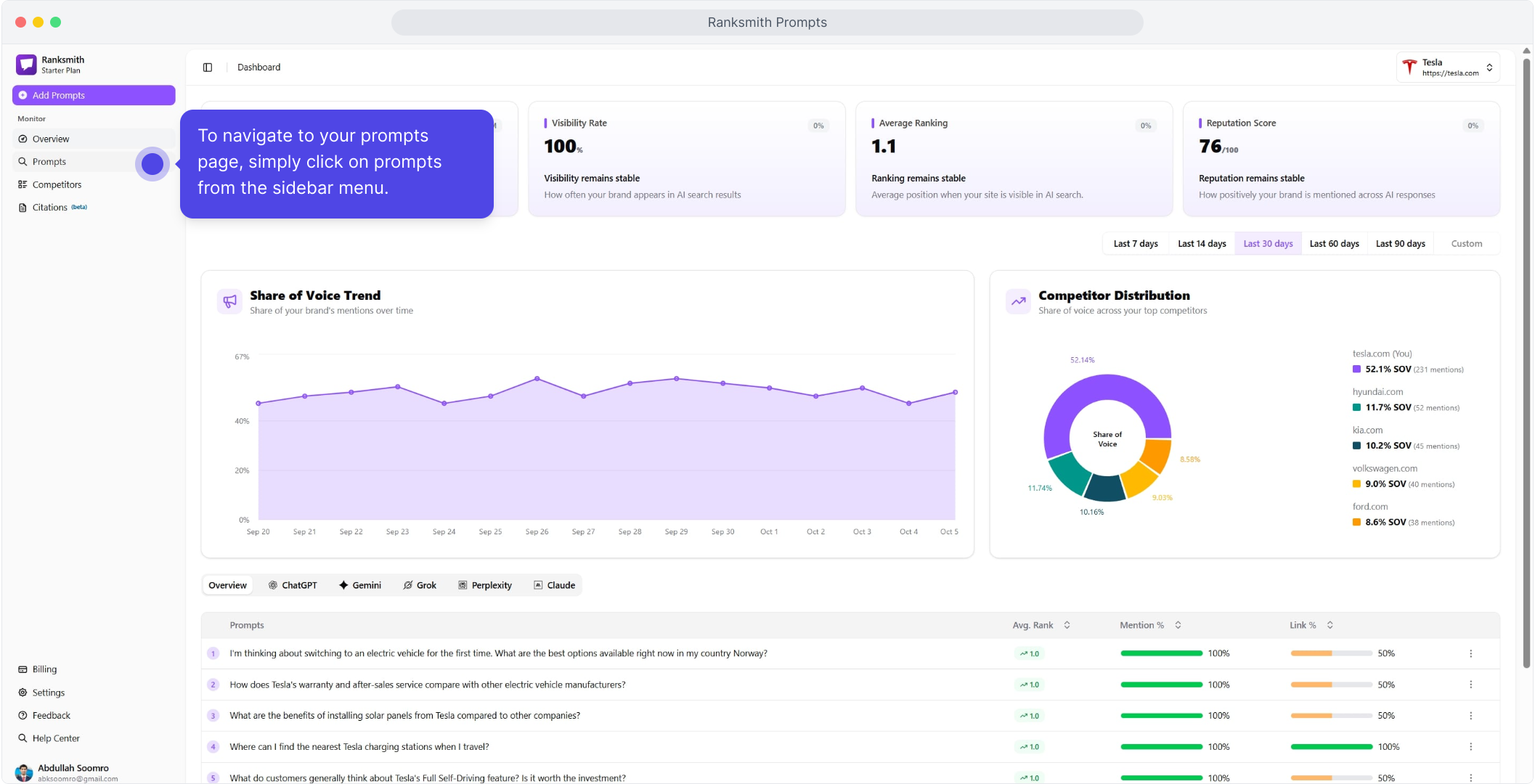
To navigate to your prompts page on Ranksmith, from your dashboard, click on prompts in the sidebar menu.
Importance of Prompts in AI Search Tracking
AI models don’t work by matching keywords; people interact with them by asking full, natural questions. Instead of typing “best running shoes,” someone might ask, “What are the best running shoes for marathon training under $200?” Gaining visibility in AI means being part of those conversations, either by having your brand mentioned directly or by having your content cited. Prompts recreate the kinds of questions your audience might genuinely ask. Ranksmith tests them across multiple AI models every 24 hours, providing fresh insights on which brands or sources get highlighted.
The video guide below will help you understand your prompt management tab.
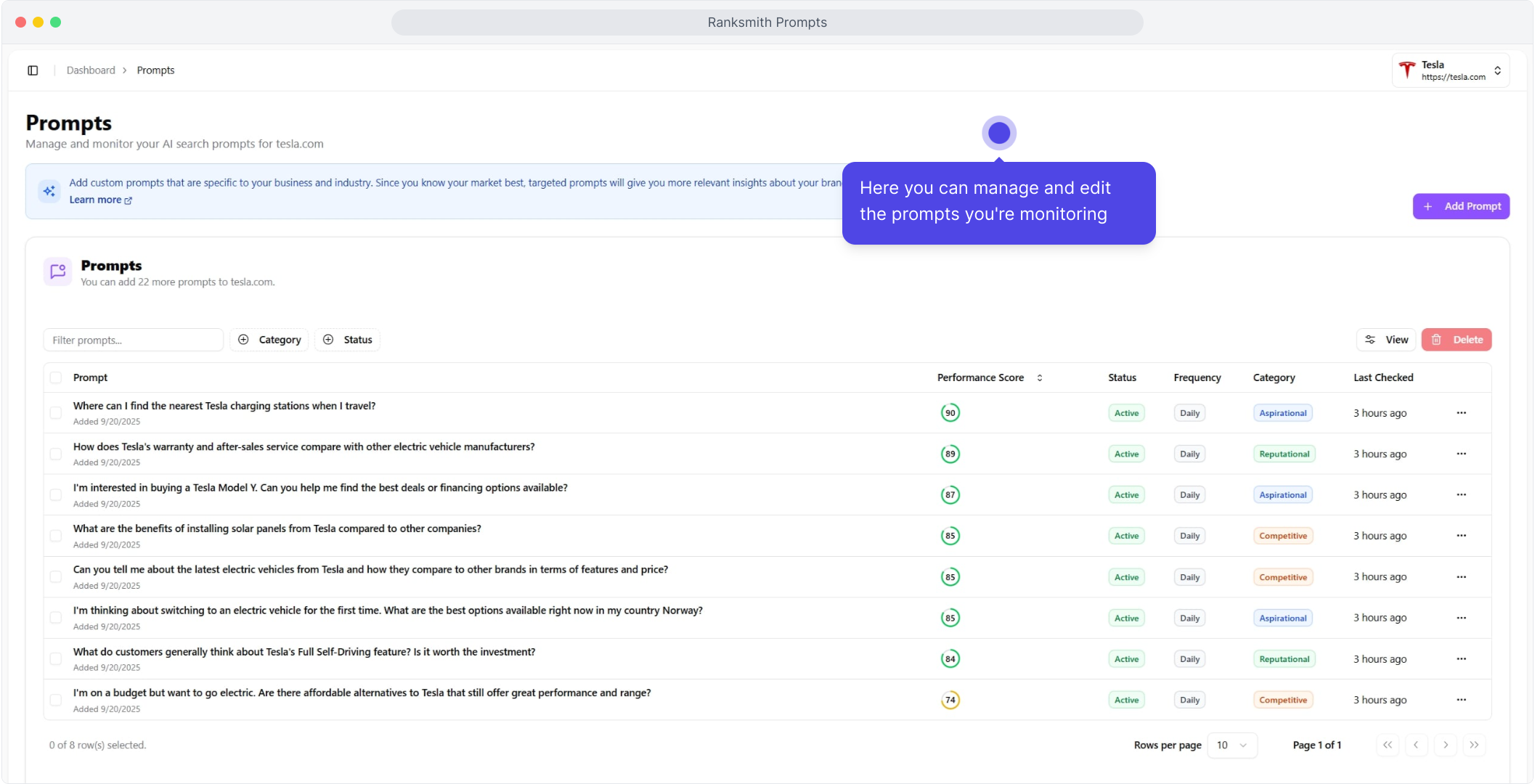
On your prompts page, you can manage and edit the prompts you're monitoring.
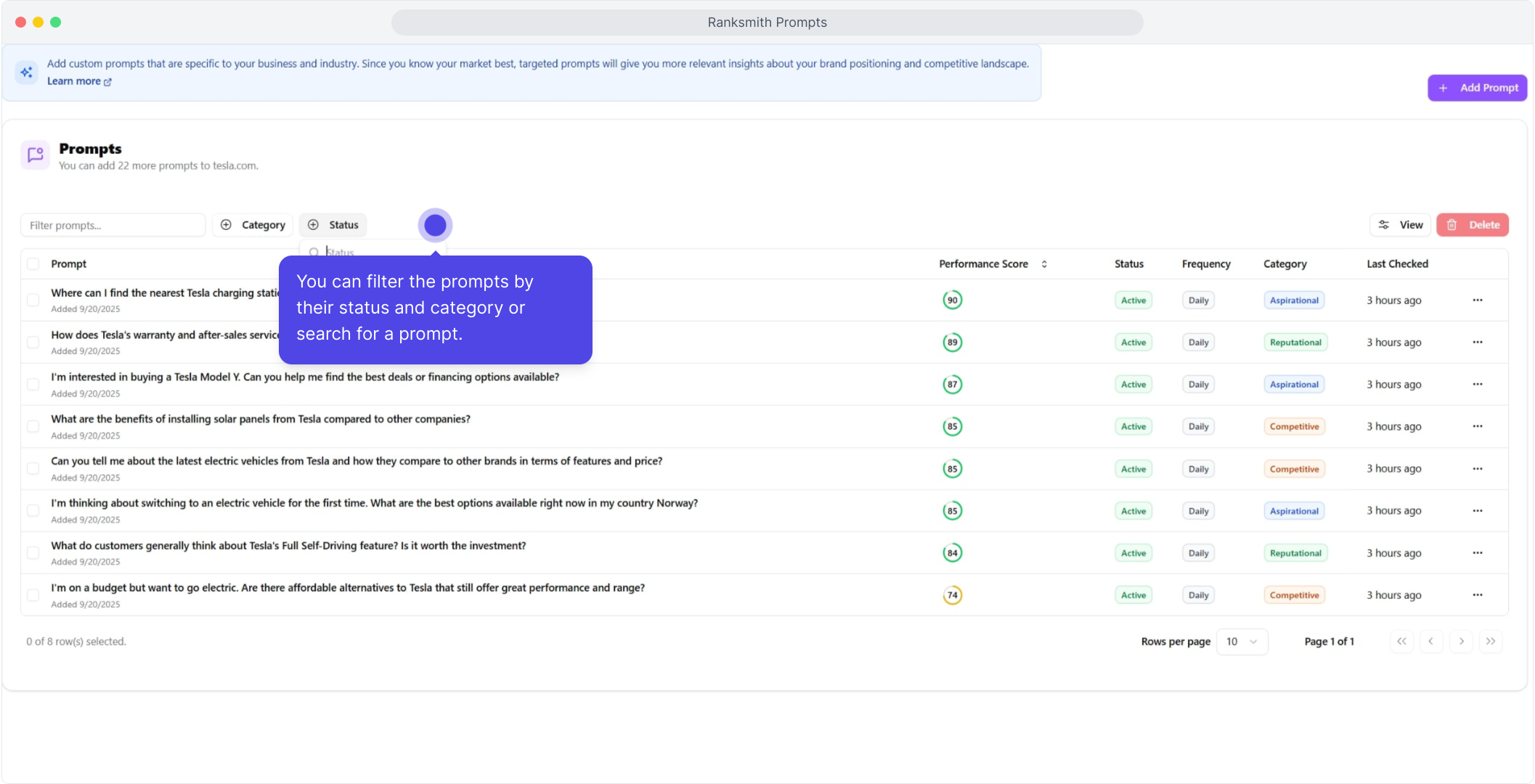
You can filter the prompts by their status and category or search for a prompt.
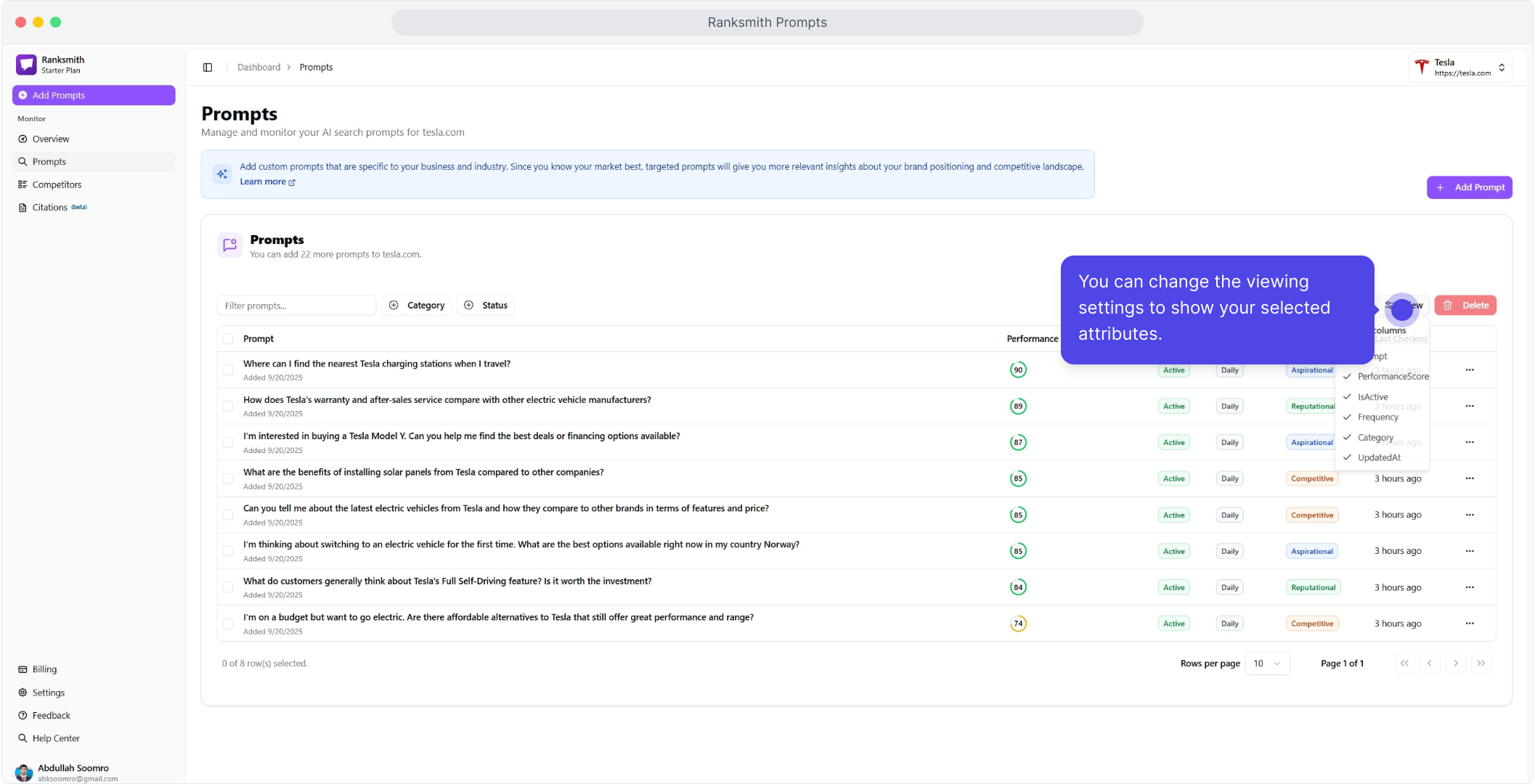
You can change the viewing settings to show your selected attributes.
You can also add a new prompt by clicking the Add New Prompt button.
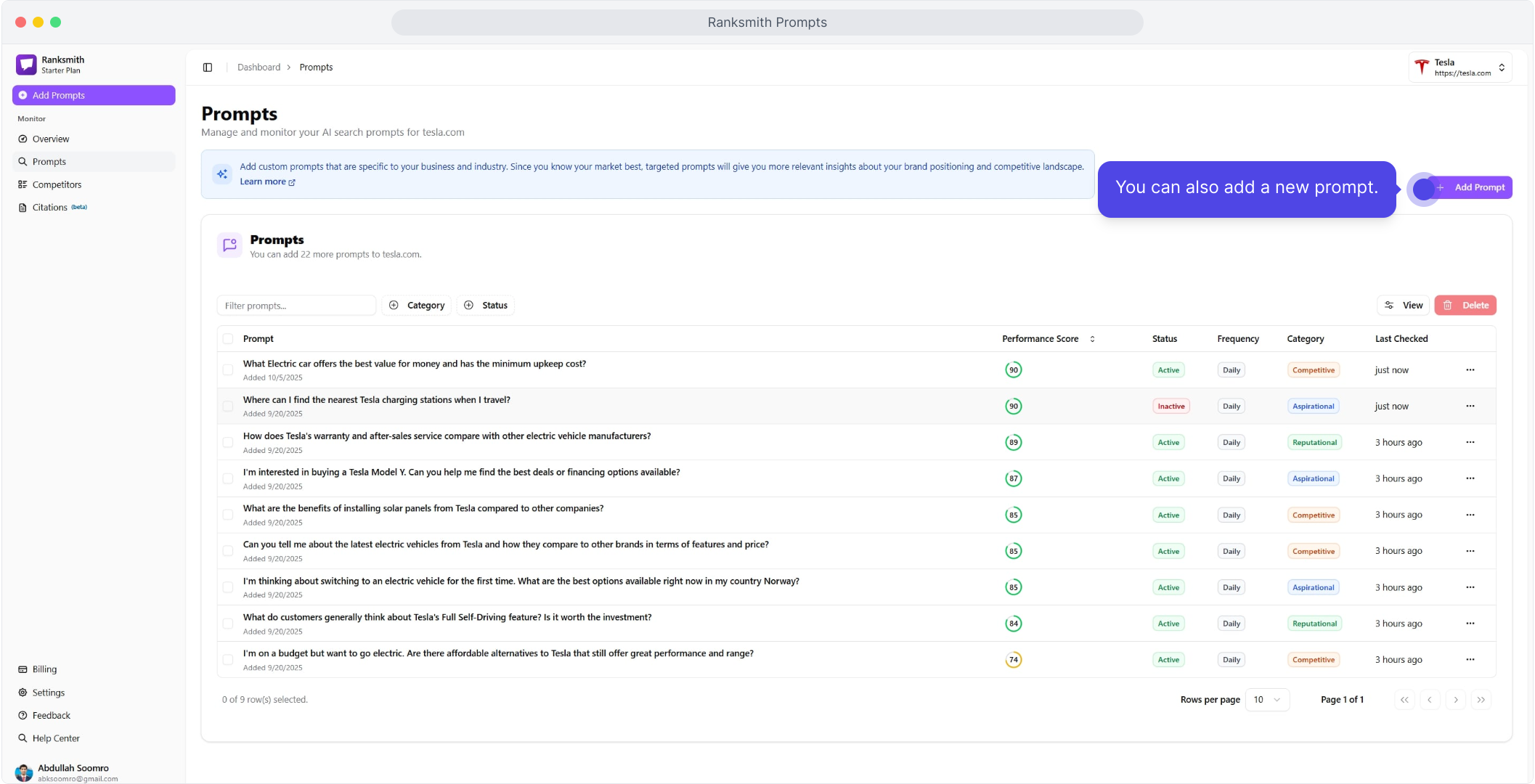
Start by typing the new prompt, ensuring this resembles the natural prompt your target customer/user would ask AI Models.
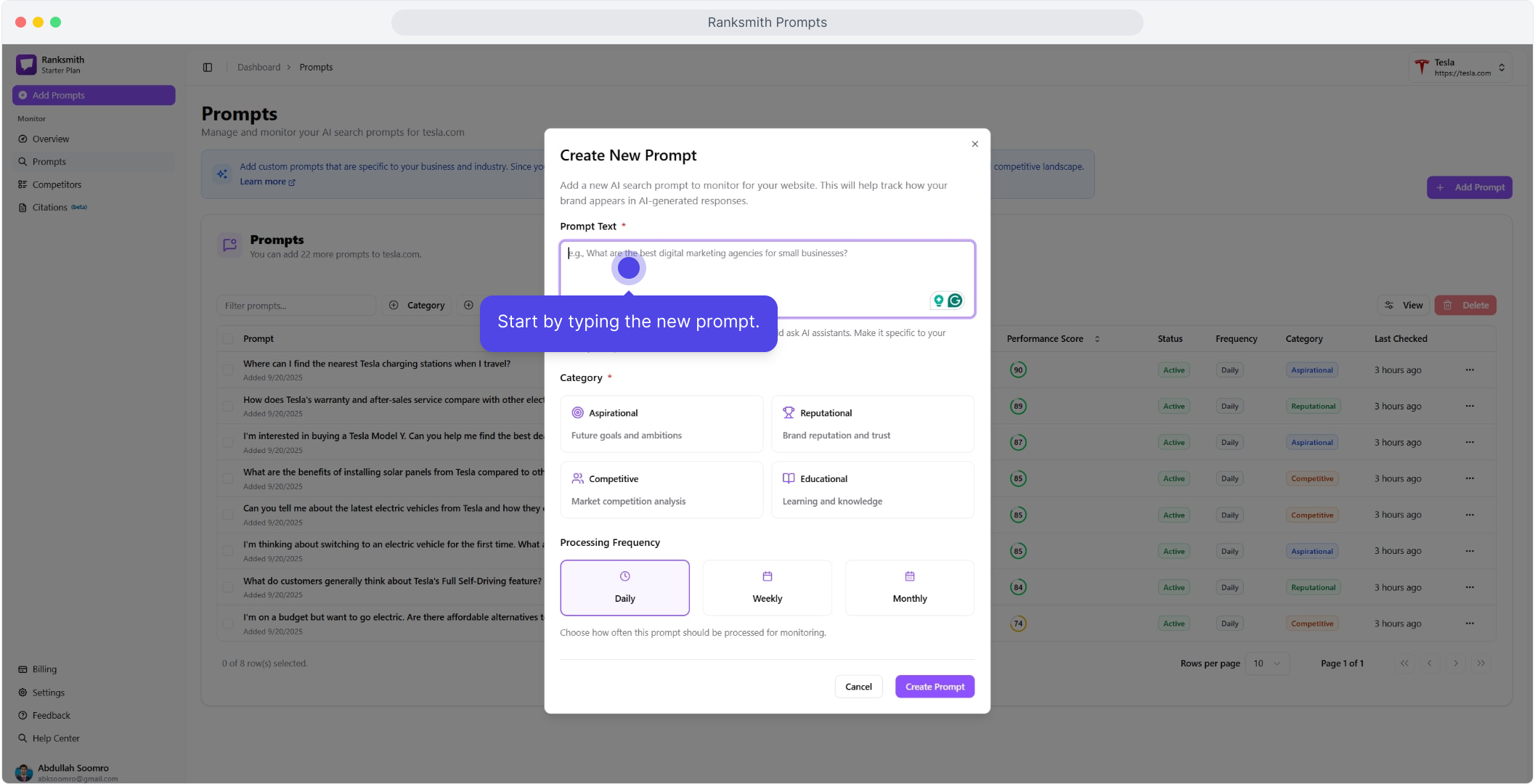
Then select the appropriate category for your new prompt.
When selecting a category, it's important to choose one that accurately reflects the intent behind the prompt being added. The categories available are: Aspirational, Reputational, Competitive, and Educational.
Each category aligns with different business or informational goals:
Aspirational: Use for prompts related to future goals, ambitions, or visionary topics. Select this when the prompt is about growth, innovation, or long-term objectives.
Reputational: Choose this for prompts that relate to brand image, trust, customer opinions, or public perception.
Competitive: This category fits prompts concerning market analysis, competitor benchmarking, or business rivalry.
Educational: Opt for this when the prompt focuses on learning, knowledge sharing, instruction, or explaining concepts.
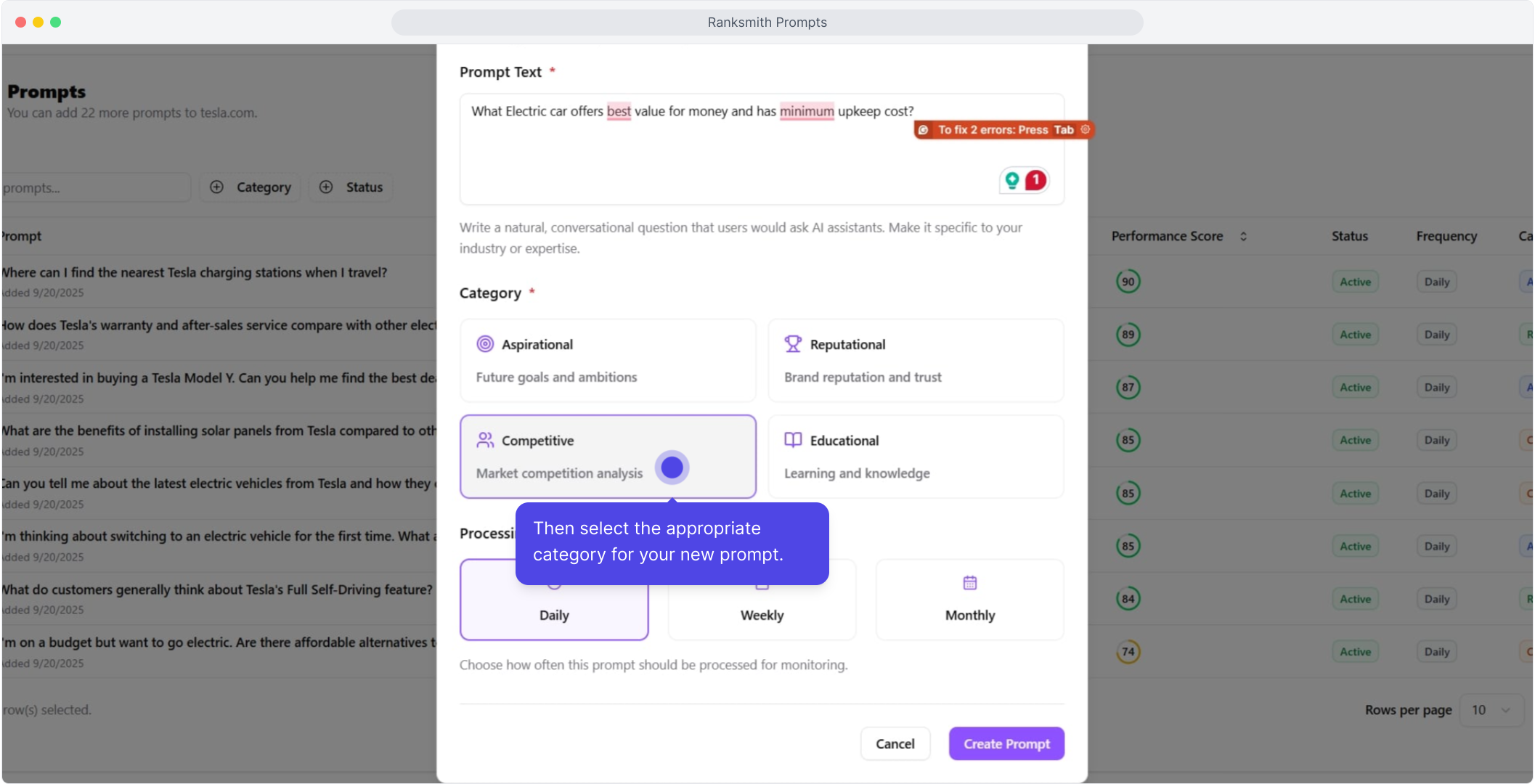
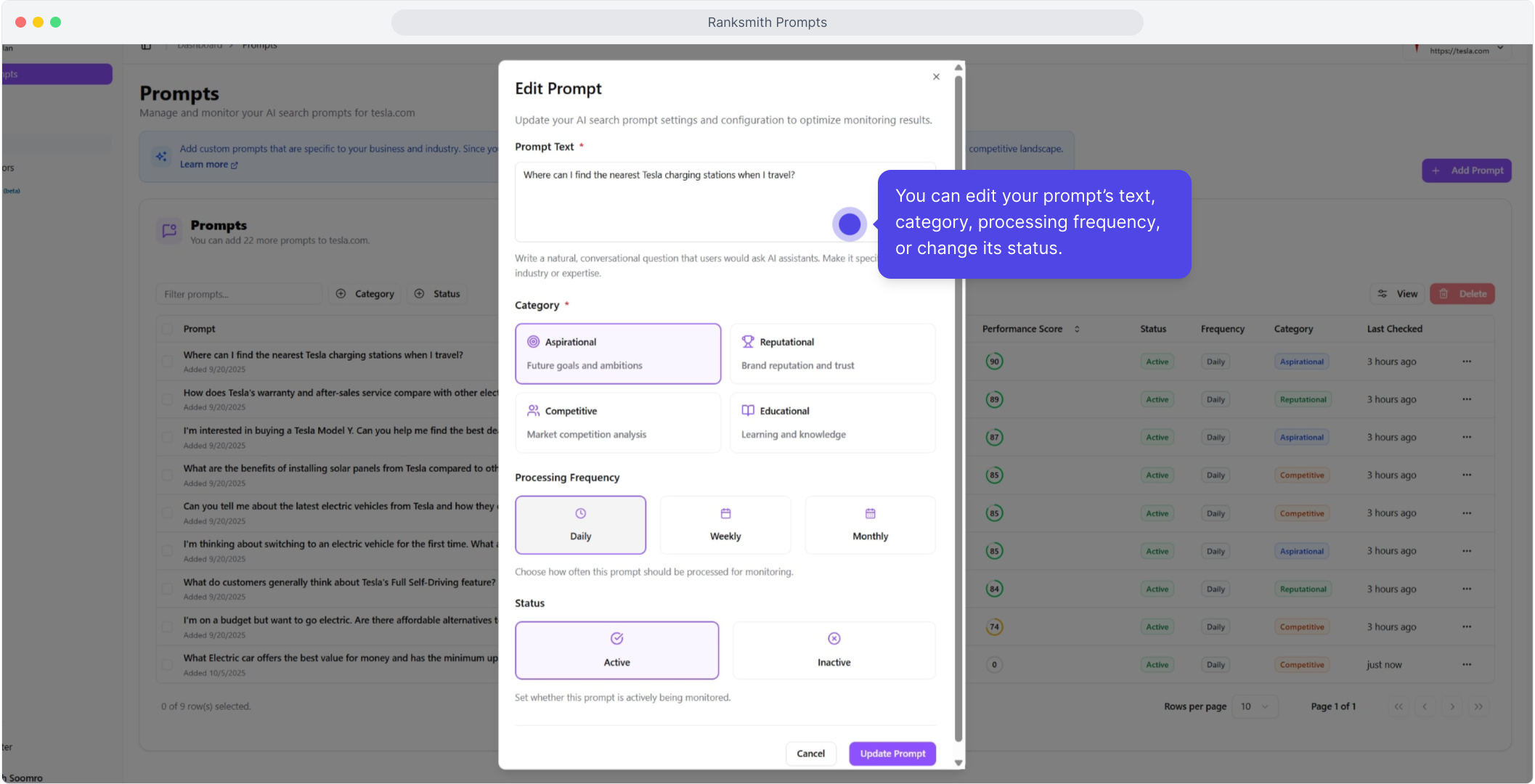
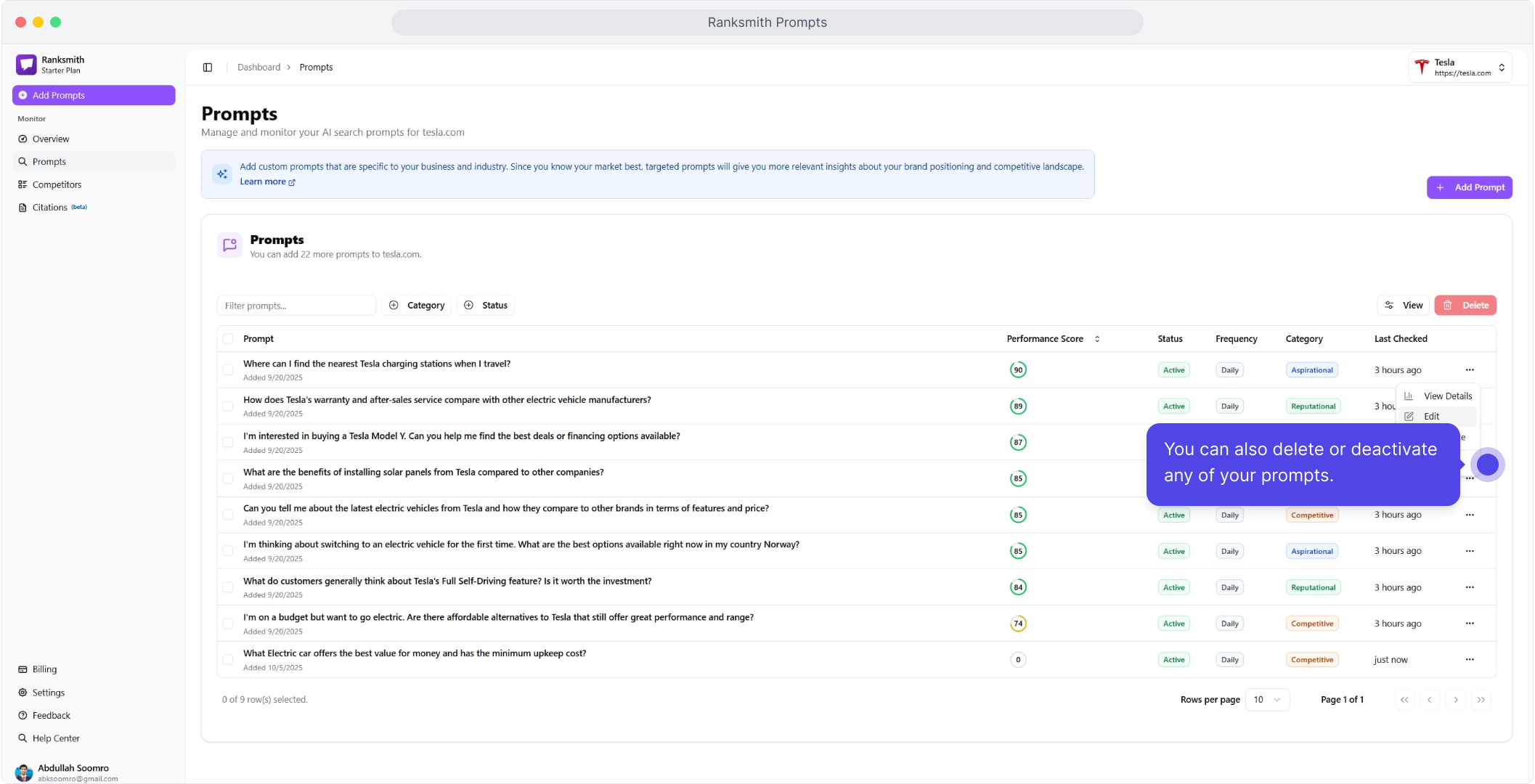
You can edit your prompt, click on the three dots at the end of the table, and select Edit.
You can edit your prompt’s text, category, processing frequency, or change its status.
You can also delete or deactivate any of your prompts.
Was this helpful?
Still need help? Ask the team